You Can Now Sort Your Tasks by Due Date in Asana
Editor’s note: we’ve made some updates since this post was published. Read the most up-to-date information on sorting tasks by due date in the guide.
If you like to set dates on tasks, you’d probably like to view those tasks sorted by date. We’re excited to announce that now you can — just choose the “date” option in our view selector.
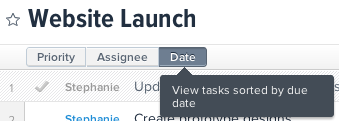
The date view has a few nifty features. When one of your tasks is running behind, it’s likely that many of them are. In the date view, you can select multiple tasks and then use CMD+down to add a day to all of the due dates. This makes it easy to adjust schedules and keep the relative timings.
Another new feature of the date view is that completed tasks show up next to incomplete tasks so you can see your tasks as a timeline. Once you’re done looking at completed tasks, you can archive them to hide them.
Date sorting doesn’t interfere with priority sorting so you can switch between both views, depending on how you want to look at a Project. And with great power comes great responsibility — please make sure to communicate with the other people on the project so that you all agree to use priority or dates for ordering.